Stewbum
Members
-
Joined
Everything posted by Stewbum
-
Working on my cabin of 36 years and preparing it for sale! The future with these heart issues obviously are not going to allow me to continue with the same lifestyle. My business of 47 years will now go to my son to run and possible also sell. Getting rid of all business equipment and stock collected for all these years is a unsurmountable task. One last project to complete and that may be it. Not ready to retire but its time to clean house. All because of the smoking heart!!! Its a little hard to come on here with depressing comments instead of interjecting happiness and I am sorry for that. Maybe if I can get ahead of the game things will get better but the tasks are very slow. Luckily family and little Millie give me the breaks and smiles I need. KTQ Stay away from the life destroyer.
-
Good morning NOPE!!
-
-
Good morning NOPE!!
-
NOPE!! for tomorrow
-
Good morning NOPE!! for today
-
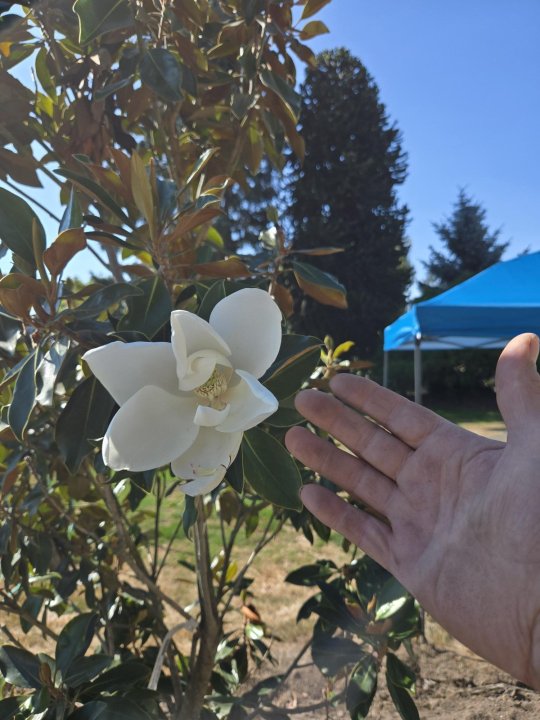
Good morning NOPE!! With a new blossom on my transplanted Magnolia.😎 .
-
NOPE!!
-
-
NOPE!! For tomorrow.
-
Labor Day NOPE!!
-
-
Good morning NOPE!!
-
-
-
Good morning NOPE!!
-
-
-
NOPE!! Tonight or tomorrow.
-
-
-
Nope!! Not tonight or tomorrow.
-
Could Run Spruce
 Dor 4 Dave 5 QG 4 Dave 5 Me 6