Reciprocity
Members
-
Joined
-
Last visited
Everything posted by Reciprocity
-
-
Wow! Good for you @breath ! That's an impressive amount of time to be quit and seems it's a good thing you did as you'd be in a much different place health wise today if you had continued smoking.You basically saved your life by quitting when you did😉
-
I agree. They're really an essential medical procedue for all us X-smokers. The idea being if there is anything worrying, at least you're catching it early. As with all cancers, by the time you start feeling symptoms, it's usually much more advanced meaning more difficut to treat. I had my annual yesterday - results July 6th.
-
I bet you're relieved @Nancy! Great news that all's clear
-
-
-
-
Nope! Sunset over Recife,Brazil; S.A.

-
15 Oh yes ... you will be going down alright!

-
14 We'll climb back up
-
Thanks for chiming in on the Vape thing @Pilgrim! What you & @stzr500 have related makes a lot of sense, given the increased nicotine levels involved. The other thing that you noted is the difference in how people smoke cigs vs Vape. I had forgot about that but it's so true. They besically go around all day long taking random puffs here & there as they can. That I'm sure also makes a big difference in the addiction level. Wow! Food for thought for sure for us cig smokers!
-
Holy Crap! What happened? 12

-
-
-
Nope! Repurposed Wheelbarrow

-
-
-
-
-
Nope!

-
Well ... you certainly did go beyond the gates of hell exposing yourself to a 5.0% level of nicotine 😱 This is the issue I always had with vaping. People convincing themselves that vaping was safe because of the lack of chemical additives in tobacco that's in cigs. Yeah but they never talk about the availability of much higher levels of nicotine that vapers can pump into their bodies & brains. Vaping has created a whole new breed of addicts "Super Nico Addicts"! Good on you that you weaned off that crazy level of nicotine slowly in steps otherwise you likely never would have made it back to the land of non-smokers. Keep it up @stzr500! You NEVER wanna go back there again and thanks for the warning about Vape & Nico Levels!!
-
-
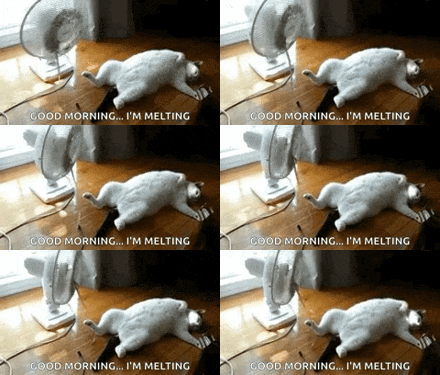
For @Doreensfree swealtering in the current Heatwave!
-
-