




Reciprocity
Members
-
Joined
-
Last visited
Everything posted by Reciprocity
-
Nope! Vanilla Beans; fresh picked in French Polynesia.

-
Nope! Never again. (Oops! I noped twice. Will I get banned for that?)
-
Great stuff Stewie! Grand kids are THE BEST 🤩 We just attended the 4th Birthday Party for one of our Grandaughters and we have another to attend Aug 8th for our 1 year old Grandaughter. They are so inocent still and come out with the funniest observations about whatever it is they're into. Have a blast when you go on your next trip!!
-
-
Thanks for all your well wishes my friends; I appreciate the support very much as I prepare to fight this diagnosis. I'm of the same mind as all of you that it's been caught early and is pretty small so with todays technology, I'm confident I'll beat it 💪 I'll employ some of the same mental strategies that I did when I quit smoking ... One day at a time; don't look too far ahead. Slow & steady will get me there👍
-
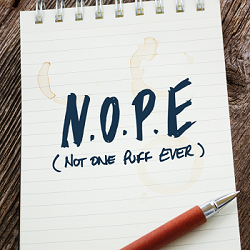
Don't know yet as my case will be transferred to an Oncology Doctor somewhere within our Regional Healtcare system. I should hear from someone fairly soo I expect. I hope the treatments will be at my local hospital but I may have to travel to another in the Region of Niagara depending on the workloads at various hospitals I suppose. Hope to know more next week possibly, whenever they get it sorted out as to where I'm going for treatment.So it was the big reveal today at the lung clinic, which is in the hospital close to where I live. The Doctor (a pulmonologist) reviewed how the PET Scan works then said the 1.2 cm nodule they were concerned with "lit up like a Christmas tree", which I thought was an odd way to put it but anyway, he says they're 99% sure the nodule is malignant (ie: cancerous) because it ate up so much of the sucrose/ radioactive stuff they shot me up with prior to the scan. The good news is my lymphnodes didn't light up so it hasn't spread there! Not the result I was hoping for but it is what it is at this point ☹️ The Doc immediately started talking about treatment options. He said; It's a rather small area and it's been caught early so the two options they recommend are surgery or radiation treatments. He also said he'd be in favour ofthe Rediation treatments rather than surgery because there was a greater risk of permenant lung damage with the surgical option and that wouldn't be to my benefit. So after thinking about it doe all of abourt a minute, I agreed that the radiation sounded like the best option. Now, this Dr. is going to contact arrange to have the hospital call me once they've figured out when that can set an appointment with the Oncology department and they would call me once they had a plan put together and that was it! Now the thing that struck me as odd was he never once mentioned the word "cancer" and never said ... You have lung cancer! He kind of danced all around those exact words. I only though about that as I was driving home from the hospital. I always imagined if you you were diagnised with cancer of any kind they would sit you down and say something to the effect of "You have cancer!" NOPE! Not in my case anyway. I suppose when he said my case would be turned over to the Oncology Dept. was pretty much the same thing though. So now I await a call from the Oncology department to see how all that's gonna work. Already the family is driving me crazy. Son & daughter are texting me every hour or so inquiring as to how I'm feeling. The wife will barely let me off the couch even to get a glass of water. I understand they're concerned but as I said to the wife ... "don't be diggin' a hole in the back yard for me just yet". I'm confident I'll beat this and I have a lot in my favour as it's a very small area so far & was caught early! With todays technology I'm confident the result will be a good one, although the journey to get there is unknow at this point.One of the unfortunate results of climate change I'm guessing?Some Days ya just need to hear a pointless Head-Banger tune😆Nope! Not Today ... There's enough smoke already thanks to the wild fires burning in Northern Ontario 😞 This is what we're breathing yesterday & today 😷 When you look outside,it looks apocalyptic!
 Nice one @notsmokinjo 👍Nope! NEVER AGAIN








Important Information
Account
Navigation
Search
Configure browser push notifications
Chrome (Android)
- Tap the lock icon next to the address bar.
- Tap Permissions → Notifications.
- Adjust your preference.
Chrome (Desktop)
- Click the padlock icon in the address bar.
- Select Site settings.
- Find Notifications and adjust your preference.
Safari (iOS 16.4+)
- Ensure the site is installed via Add to Home Screen.
- Open Settings App → Notifications.
- Find your app name and adjust your preference.
Safari (macOS)
- Go to Safari → Preferences.
- Click the Websites tab.
- Select Notifications in the sidebar.
- Find this website and adjust your preference.
Edge (Android)
- Tap the lock icon next to the address bar.
- Tap Permissions.
- Find Notifications and adjust your preference.
Edge (Desktop)
- Click the padlock icon in the address bar.
- Click Permissions for this site.
- Find Notifications and adjust your preference.
Firefox (Android)
- Go to Settings → Site permissions.
- Tap Notifications.
- Find this site in the list and adjust your preference.
Firefox (Desktop)
- Open Firefox Settings.
- Search for Notifications.
- Find this site in the list and adjust your preference.