Leaderboard
-

Reciprocity
Members26Points21892Posts -

Mona
Members16Points4212Posts -

Stewbum
Members14Points2230Posts -
Cbdave
Members11Points7539Posts



Popular Content
Showing content with the highest reputation on 02/08/24 in all areas
-
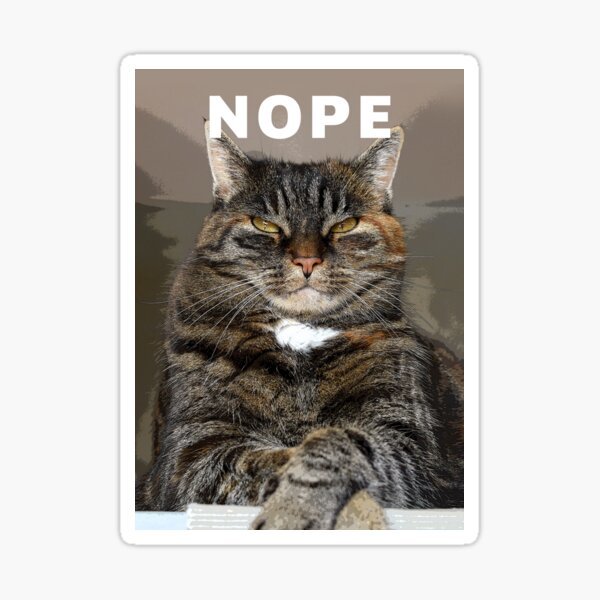
7 points7 points7 points6 pointsG’day NOPE .....Not One Puff Ever.... (replace Ever with Min,Hour, Day as required).
 6 points6 points6 points6 points6 points5 points5 pointsG’day NOPE .....Not One Puff Ever.... (replace Ever with Min,Hour, Day as required).
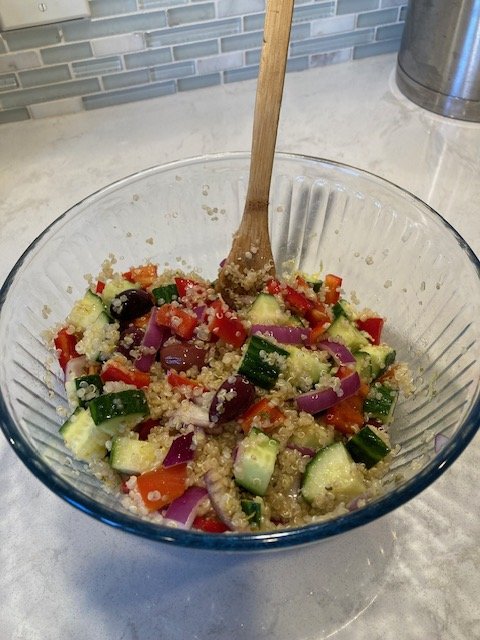
 5 points5 points5 points5 points5 points5 points5 points4 points4 points4 points4 points4 points3 points3 points3 points3 points3 points3 points3 points3 points3 points3 pointsI know it's hard but stay committed to the quit. You'll have more dating options when you're ready to replace him and you'll look your best smoke free. Alot of guys actually told me they would go out with me if I didn't smoke. Alot of good prospects that I missed because I chose cigarettes. Good luck!3 points2 points2 points2 points2 points2 points2 points2 points2 points2 points1 point1 point1 point1 point1 point1 point1 point1 pointTonight I am making a Mediterranean Quinoa Salad...I am not a vegetarian, but I do like vegetarian meals once in a while!!!
 1 point1 point1 pointYou men can barely hit the damn toilet with your eyes wide open so you should never ever attempt to pee with them closed!😂 9. Eat a cookie1 point1 point1 point1 point1 point1 point1 point1 point1 pointThis leaderboard is set to New York/GMT-04:00
Important Information
Account
Navigation
Search
Configure browser push notifications
Chrome (Android)
- Tap the lock icon next to the address bar.
- Tap Permissions → Notifications.
- Adjust your preference.
Chrome (Desktop)
- Click the padlock icon in the address bar.
- Select Site settings.
- Find Notifications and adjust your preference.
Safari (iOS 16.4+)
- Ensure the site is installed via Add to Home Screen.
- Open Settings App → Notifications.
- Find your app name and adjust your preference.
Safari (macOS)
- Go to Safari → Preferences.
- Click the Websites tab.
- Select Notifications in the sidebar.
- Find this website and adjust your preference.
Edge (Android)
- Tap the lock icon next to the address bar.
- Tap Permissions.
- Find Notifications and adjust your preference.
Edge (Desktop)
- Click the padlock icon in the address bar.
- Click Permissions for this site.
- Find Notifications and adjust your preference.
Firefox (Android)
- Go to Settings → Site permissions.
- Tap Notifications.
- Find this site in the list and adjust your preference.
Firefox (Desktop)
- Open Firefox Settings.
- Search for Notifications.
- Find this site in the list and adjust your preference.